


Peegle Live - Live Stream
2.4174.00 Reviews
App Specs
- Version
- 6.5
- Updated On
- License
- Free
- Downloads
- 1,000,000+
- Developer
- Peegle Live
- Categories
- Social
- Platform
- Android
Screenshots
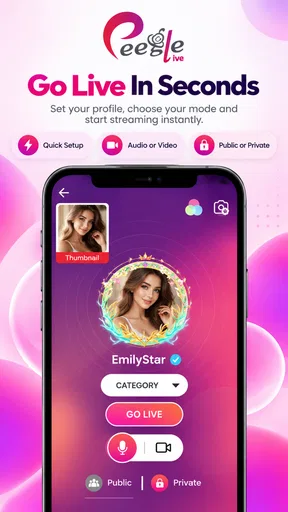

 Analysis by AppCompare
Peegle Live is a social entertainment app built around live interaction, and my experience with it is best described as lively but uneven. I found it more interesting when I treated it as a place to browse, watch, and join conversations rather than as a polished replacement for every social platform I already use. The app is free to install, but in-app purchases range from $1.49 to $374.99 per item, so I would approach its social economy carefully.
Developed by Peegle Live, it sits in the mature social category and carries a 17+ content rating. That matters because this is not the kind of app I would hand to a younger family member without supervision. Its audience is clearly looking for live, people-focused entertainment, and the experience depends heavily on which broadcasts and conversations happen to be available when you open it.
How I use Peegle Live in a normal session
In a normal session, I’d set a small intention before opening Peegle Live: browse for a few minutes, find one room worth sampling, and leave when it no longer feels engaging. That simple boundary helps me enjoy the app’s spontaneous side without letting live activity dictate my attention. I’d also keep participation optional, so watching quietly remains a comfortable choice.
The basic browsing routine
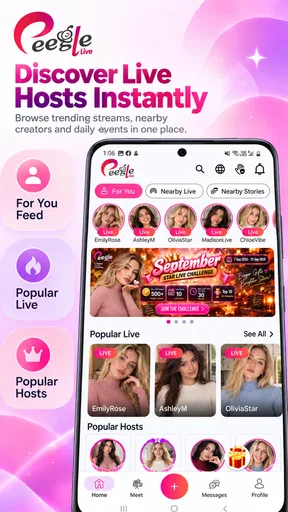
My usual starting point is simple: open the app, look through the live content, and spend a few minutes deciding whether anything feels worth joining. That sounds obvious, but it is an important distinction. Peegle Live is not most useful when I expect a carefully arranged feed of finished posts. Its appeal comes from the feeling that something is happening now, with the possibility of watching a host or interacting with other people in the moment.
I recommend beginning as a quiet viewer. You do not need to speak immediately, spend money, or make yourself visible just because a live room is available. Watching first helps you understand the tone of a room, the pace of its conversation, and whether the host is actually engaging with viewers. This small habit saves time and makes the app feel less chaotic.
For me, the strongest everyday use case is a short break rather than a long, planned viewing session. Imagine waiting for an appointment or winding down after work. I can open the app, browse a few live rooms, stay with one that has a comfortable atmosphere, and leave when the conversation stops being interesting. That makes it feel closer to casual digital people-watching than to a traditional video service.
The trade-off is that the quality of the experience can change from one room to another. A good host can make a simple broadcast feel personal, while a less engaging room may offer little reason to stay. I would not judge the whole app from one quiet session, but I also would not assume every visit will produce something memorable.
Worth Reading Before You Choose

EA SPORTS FC Mobile 26 Is a Bigger Football Game, but It Takes Time

Flipboard Shows What News Apps Must Do Beyond the Feed

Switching to Android Auto Means Rethinking Your Driving Routine

Google Calendar Makes a Crowded Week Easier to Manage

Ludo King Makes the Most of the Minutes Between Plans

Baby Panda World Brings Quick Play to Modern Phones, but Its Game Library Feels Busy
When creating an account makes sense
If you only want to sample the atmosphere, browsing first is the sensible approach. Once you find rooms or people you genuinely want to follow, an account becomes more useful because social apps generally become easier to manage when your activity is connected to a profile. I would still keep the profile conservative at the beginning. Use only the information you are comfortable sharing and avoid treating a live room like a private conversation.
One of the most useful habits is separating entertainment from trust. A friendly host can make an interaction feel personal very quickly, but that does not mean I should share contact details, financial information, or private routines. The live format encourages fast familiarity, so I deliberately slow down when a conversation moves beyond harmless chat.
This is also where the mature rating deserves practical attention. It is not merely a label to ignore. I would expect adults to make their own judgement about rooms, conversations, and the people they encounter. Anyone sensitive to unpredictable social content should use the app selectively and leave a room immediately when its tone becomes uncomfortable.
What the free entry does and does not mean
The no-cost download makes experimentation easy, but free access should not be confused with a completely cost-free social experience. The presence of purchases means users may encounter paid items or spending opportunities while using the service. I would decide on a personal budget before exploring those parts of the app, especially if live interaction makes you feel pressured to respond quickly.
My advice is to use the app for a while without buying anything. First learn whether you enjoy the conversations, whether you return regularly, and whether the social style suits you. If the answer is no, spending will not fix the underlying mismatch. If the answer is yes, a fixed limit is safer than making individual decisions in the excitement of a live broadcast.
Settings I would check before settling in
I always look through the available account, notification, privacy, and purchase-related controls before becoming an active participant. The exact options can vary with the app version and device, but the principle is consistent: decide how much interruption and exposure you want before the app starts shaping your routine.
Notifications deserve special attention. Live platforms can become distracting when every activity feels urgent. I prefer to keep only alerts that help me return to people or conversations I genuinely care about, rather than allowing the phone to pull me back repeatedly. If the app becomes noisy, I would adjust the phone’s notification controls as well as the app’s own settings.
I also recommend checking purchase safeguards on your device before exploring paid interactions. This is a practical step, not a judgement about the app. The listed purchase range is broad, and a confirmation habit helps prevent an impulsive tap from becoming an unwanted charge. I would never enter payment details while feeling rushed by a live conversation.
Privacy checks are equally important. Review what your profile reveals, think carefully before sharing personal details in chat, and remember that a public interaction is not the same as a private message. I find that a low-information profile gives me more freedom to explore without feeling that every new contact knows too much about me.
Small routines that make browsing faster
Experienced use is less about discovering a secret button and more about repeating sensible choices. I use a quick three-step pattern: scan, sample, decide. I scan the available live rooms, sample one briefly, and decide whether it deserves more time. If the conversation is repetitive, uncomfortable, or clearly aimed at spending rather than interaction, I leave instead of waiting for it to improve.
Another useful pattern is keeping a mental shortlist. When I find a room with a good pace and respectful conversation, I remember the host or room context rather than opening random broadcasts every time. This reduces the amount of aimless browsing and makes short sessions more rewarding. It also helps me notice whether I am returning because I enjoy the content or simply because notifications keep bringing me back.
For people who like participating, I would prepare a simple opening line or question before entering a room. That sounds minor, but it removes the awkward pause that often makes users leave before saying anything. A specific, polite comment about the current conversation works better than immediately asking for attention.
I would also avoid multitasking during conversations that involve personal information or purchases. Live chat moves quickly, and divided attention makes it easier to misunderstand tone or tap something without thinking. If I am only half watching, I keep the session passive and leave the interaction for a time when I can actually concentrate.
Where Peegle Live differs from familiar alternatives
Compared with a conventional social network, this app places more weight on immediacy. A normal feed lets me read, pause, and return later. Live interaction rewards being present, which can feel more human but also more demanding. I prefer Peegle Live when I want spontaneous contact, while a standard feed is better when I want control over the pace.
Compared with a mainstream video platform, the social relationship is more central than polished, searchable video. A large video service is usually better for finding a specific subject, learning something structured, or watching a finished production. Peegle Live makes more sense when the appeal is the person and the live exchange rather than a carefully edited result.
Compared with private messaging, the app offers a broader chance of meeting new people, but less certainty about boundaries. Private chats are usually easier to control once trust exists. Live rooms are more open and spontaneous, so I would keep early conversations light and move slowly if someone tries to take the interaction elsewhere.
That difference explains both the app’s charm and its weakness. It can create a sense of presence that asynchronous platforms lack, but it cannot guarantee that every room will be worthwhile. Users who want predictable quality, deep moderation controls, or a quiet, private communication tool may be happier elsewhere.
Limits I noticed in the overall experience
The average rating is 2.4 from around 3.3 thousand ratings, with roughly 174 written reviews, and I would treat that as a useful warning to keep expectations realistic. It does not mean every user will dislike the app, but it suggests that the live concept may not work smoothly for everyone. The service has passed one million installs, so there is clearly interest, yet popularity alone does not guarantee a consistent experience.
The biggest limitation for me is dependence on the current community. A social live app cannot manufacture an engaging room whenever I want one. If the available broadcasts do not match my interests or the conversation feels thin, there may be little to do beyond leaving and trying again later.
The second limitation is emotional pressure. Live interaction can make ordinary choices feel immediate: whether to respond, stay, support someone, or spend money. I think the app is healthier when I treat every action as optional. No host or room should make me feel that I owe attention, personal information, or a purchase.
The mature audience also narrows its suitability. I would skip it for children, for anyone uncomfortable with unpredictable adult social spaces, and for users who specifically want tightly curated content. It is also not my first choice for professional networking, serious study, or important conversations where privacy and reliability matter more than spontaneity.
Version and device considerations
The current version is 6.5, and the app requires Android 8.0 or later. In practical terms, that means people using older Android phones may need to check compatibility before planning around it. On a supported device, I would still keep the operating system and app updated, because live services depend on ongoing technical changes and account connectivity.
I would also test the app on the connection I actually expect to use. Live content is more sensitive to unstable connectivity than text-based social apps, so a session that works well on home Wi-Fi may feel less comfortable on a weak mobile signal. If a broadcast keeps interrupting, I would not immediately assume the host or app is at fault; the network can be part of the experience.
Battery and attention are practical concerns too. I use shorter sessions when I am away from a charger and avoid leaving live content running in the background. The point is to make the app fit around my day, not let an endless stream decide how long I stay.
Who will get the most from it
I think Peegle Live suits adults who enjoy casual live conversation, discovering personalities, and taking part without needing a fixed schedule. It can be a pleasant option for someone who wants a social break that feels less solitary than watching ordinary recorded clips.
It is also a reasonable choice for users willing to browse patiently. The best experience may require trying several rooms, recognizing which conversations feel respectful, and building a personal routine instead of expecting the first screen to be perfect. That patience is part of the app’s real learning curve.
I would recommend skipping it if you dislike unpredictable social content, feel uncomfortable with live attention, or want a platform where every minute has clear educational or entertainment value. People who are easily drawn into purchases should set safeguards first or choose a service with fewer social spending prompts.
My verdict after using it with a deliberate routine
Peegle Live works best when I use it intentionally: browse without rushing, check the controls, keep my profile restrained, and treat spending as entirely optional. Those habits turn a potentially noisy live platform into a manageable way to pass time and meet conversations that feel immediate.
It is not a universally polished social destination, and the modest average rating reflects why I would approach it with curiosity rather than certainty. The app’s value depends on the people available, the tone of the rooms, and my ability to leave when a session stops being worthwhile.
My honest recommendation is to try it as a short-session live social app, not as your main communication tool. Adults who enjoy spontaneous interaction may find a place for it, especially if they use the scan, sample, and decide routine. For private conversations, structured video, younger users, or anyone seeking predictable quality, a more specialized alternative will probably be the better choice.
Pros
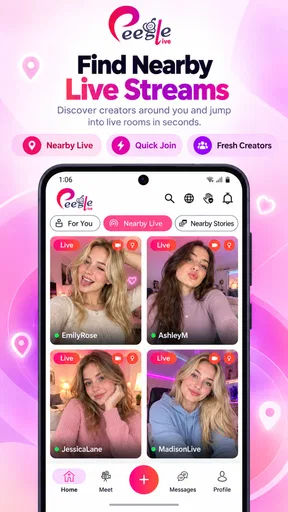
- Easy-to-use interface for discovering live streams quickly.
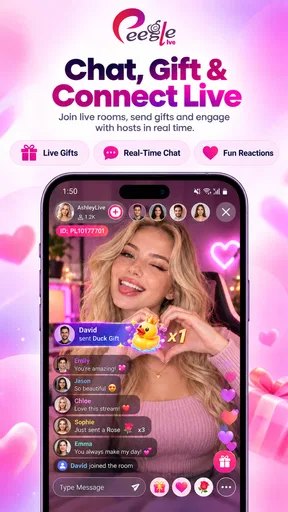
- Interactive chat lets viewers engage directly with streamers.
- Supports real-time broadcasts across various content categories.
- Personalized recommendations can help surface relevant creators.
- Live notifications make it easier to follow active streamers.
Cons
- Content quality can vary significantly between different broadcasts.
- Some streams may include mature or unsuitable material.
- Frequent notifications may feel intrusive without careful settings.
- In-app purchases can increase costs for virtual gifts and extras.
- A stable internet connection is needed for smooth
- uninterrupted viewing.
FAQs for Peegle Live - Live Stream
What is Peegle Live - Live Stream?
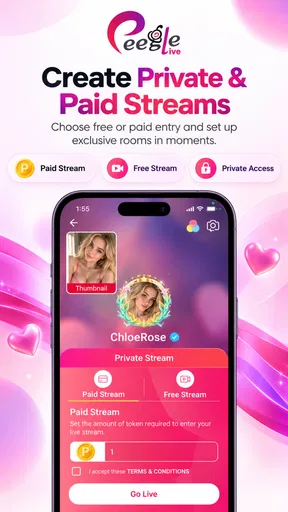
Peegle Live - Live Stream is a social live-streaming app designed for watching and hosting real-time broadcasts. Users can explore live video sessions, interact through chat, follow streamers, and potentially build an audience by starting their own broadcasts. The available content can vary by region and by the creators who are active on the platform, so the overall experience depends heavily on the current live community.
Is Peegle Live - Live Stream free to download and use?
The app is generally available to download without an upfront purchase, but some features may involve optional in-app purchases. Live-streaming platforms commonly offer virtual gifts, coins, subscriptions, premium interactions, or other paid items. Before spending money, users should review the current pricing, payment terms, and refund policy shown in the Google Play Store or Apple App Store, as costs and available features may change.
Do I need to create an account to watch live streams?
You may be able to browse or watch some content without registering, but an account is typically required for interactive features such as sending messages, following creators, giving virtual gifts, or starting your own live stream. Account registration may involve an email address, phone number, or a linked social account. Check the app’s permissions and privacy settings carefully before providing personal information.
Is Peegle Live - Live Stream safe for children and teenagers?
Parents should use caution because live-streaming apps contain user-generated content that can change quickly and may include mature themes, unmoderated conversations, or contact from strangers. Age ratings and safety tools should be checked before installation. If a child uses the app, enable available privacy controls, discuss responsible sharing, monitor chat and interactions, and use device-level parental controls where appropriate.
What permissions and internet connection does the app require?
Peegle Live - Live Stream requires an internet connection to load broadcasts and participate in real-time chats. If you stream, it may request access to the camera and microphone, while notifications and storage-related permissions may support alerts or media features. A stable Wi-Fi or mobile-data connection provides a smoother experience. Review each permission request and deny anything that is not necessary for the features you intend to use.


